Sonvel is the app for your own voice: sing karaoke, create your own songs, listen back to the results and improve.
Tap to enlarge
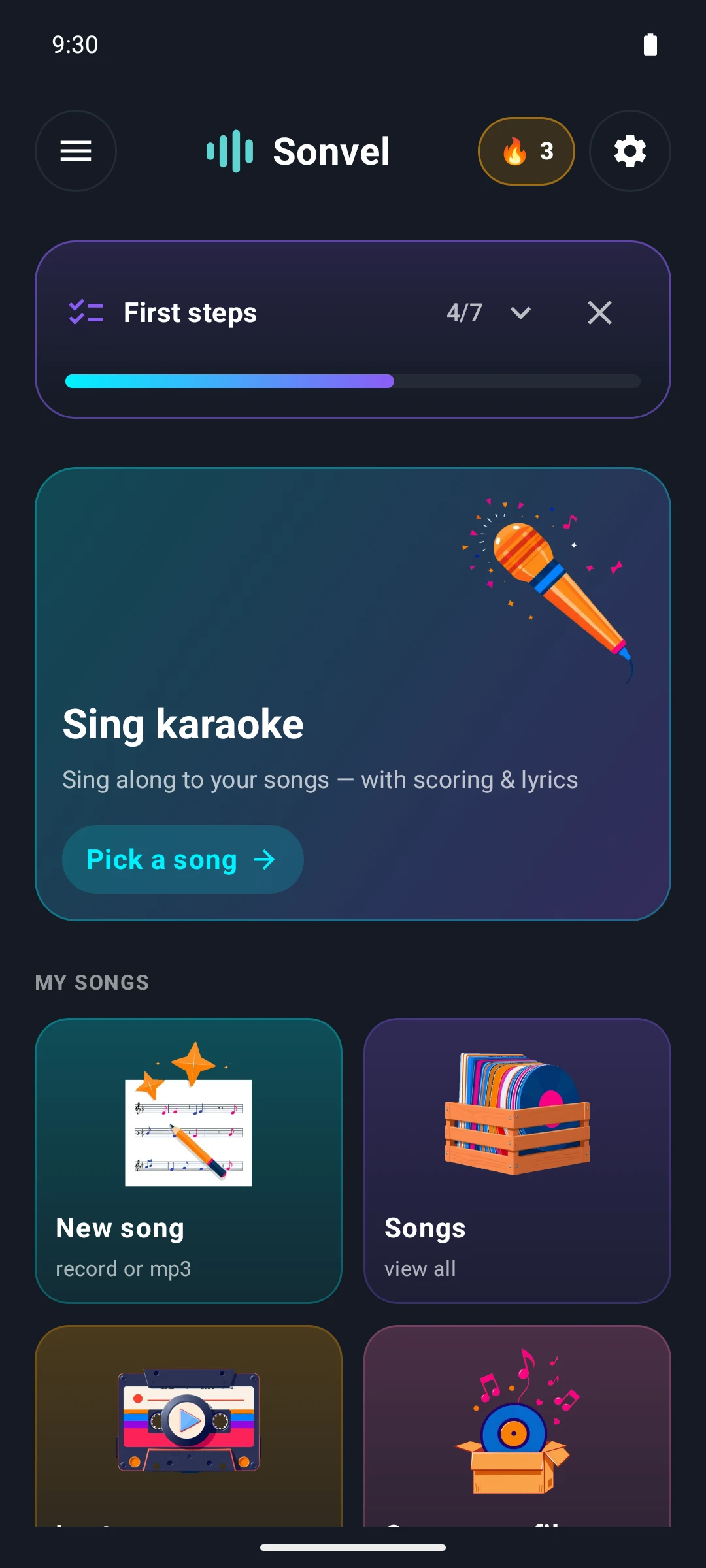
The start screen shows at a glance what the app can do: sing karaoke, create your own songs, listen back to the results and improve. At the top, an expandable "First steps" checklist guides new users through the app in seven steps — from finding their own vocal range to their first voice swap. Everything linked here runs on the phone: songs, recordings and lyrics never leave the device. Sonvel needs an internet connection to download AI models once on first use and to check for newer versions.
Chapter 1
Prepare
Manage your songs
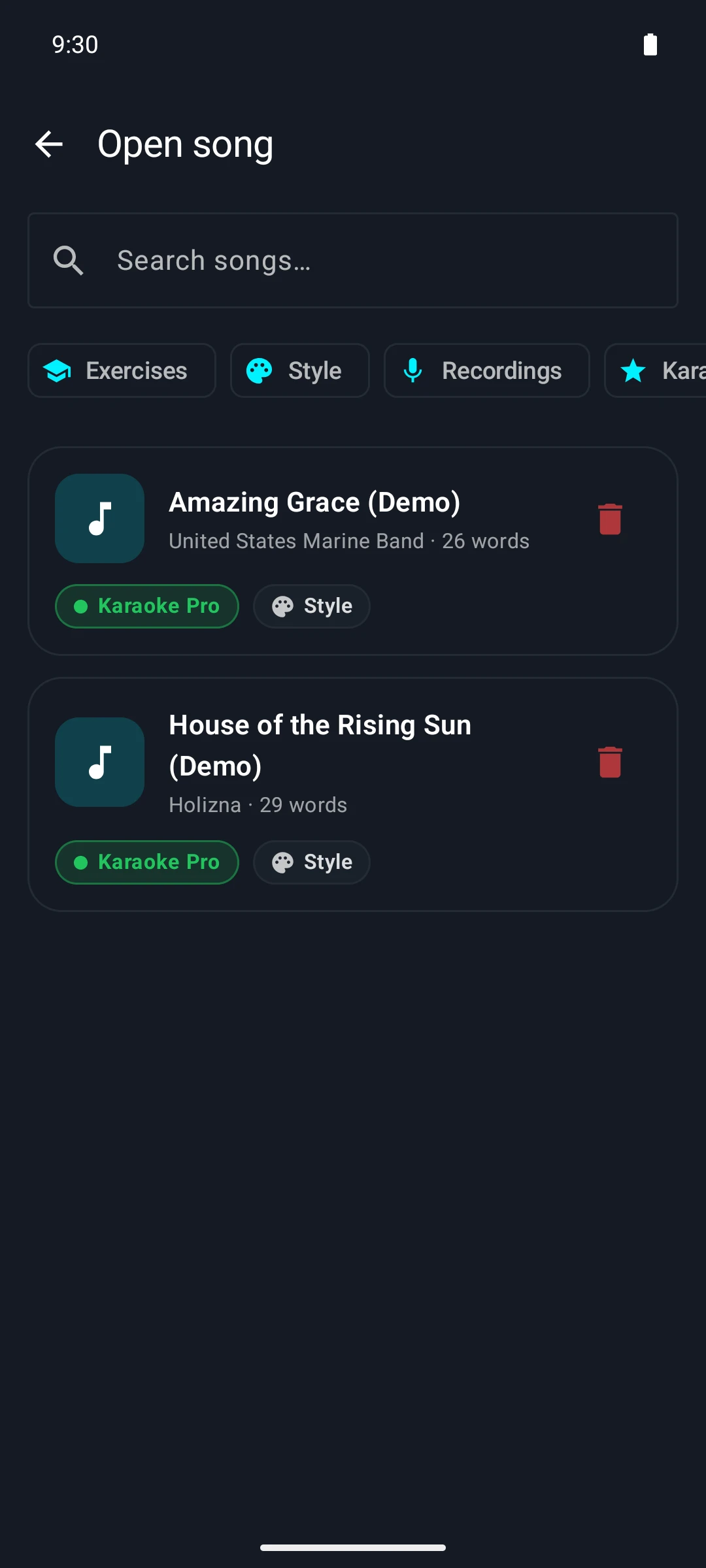
The library lists your own projects with artist and word count. The green badge shows at a glance which song is already karaoke-ready; next to it you can see whether a style analysis is available. The filter row narrows songs down by exercises, style, recordings or karaoke readiness.
Tap to enlarge
Fit the lyrics to the music
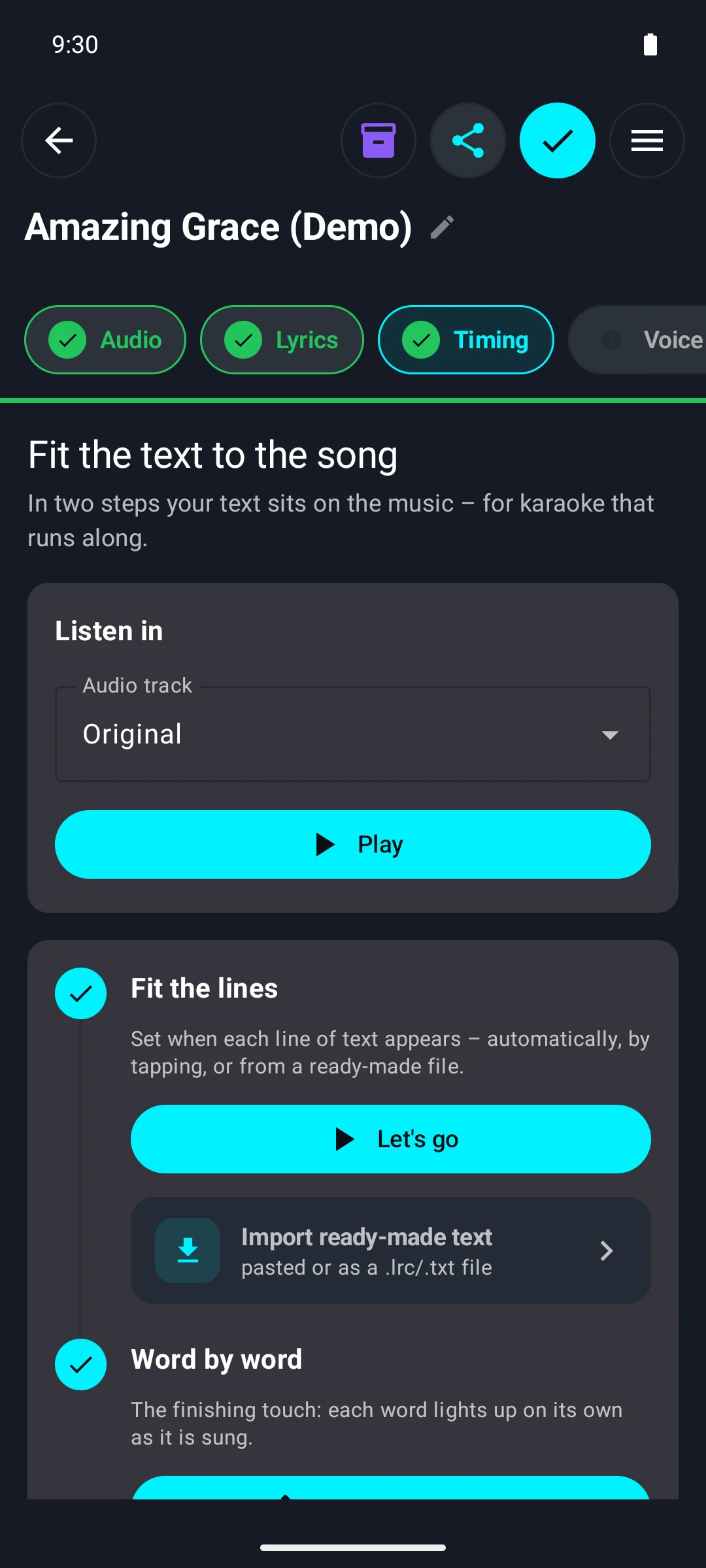
The heart of Sonvel: a song and its lyrics become a scrolling karaoke in two steps. First the lines are fitted — automatically, by tapping along to the beat or from a ready-made `.lrc` file —, then the fine-tuning can be done word by word. The app works out the alignment of lyrics and audio itself on the device, without the recording ever being uploaded.
Tap to enlarge
Correct word by word
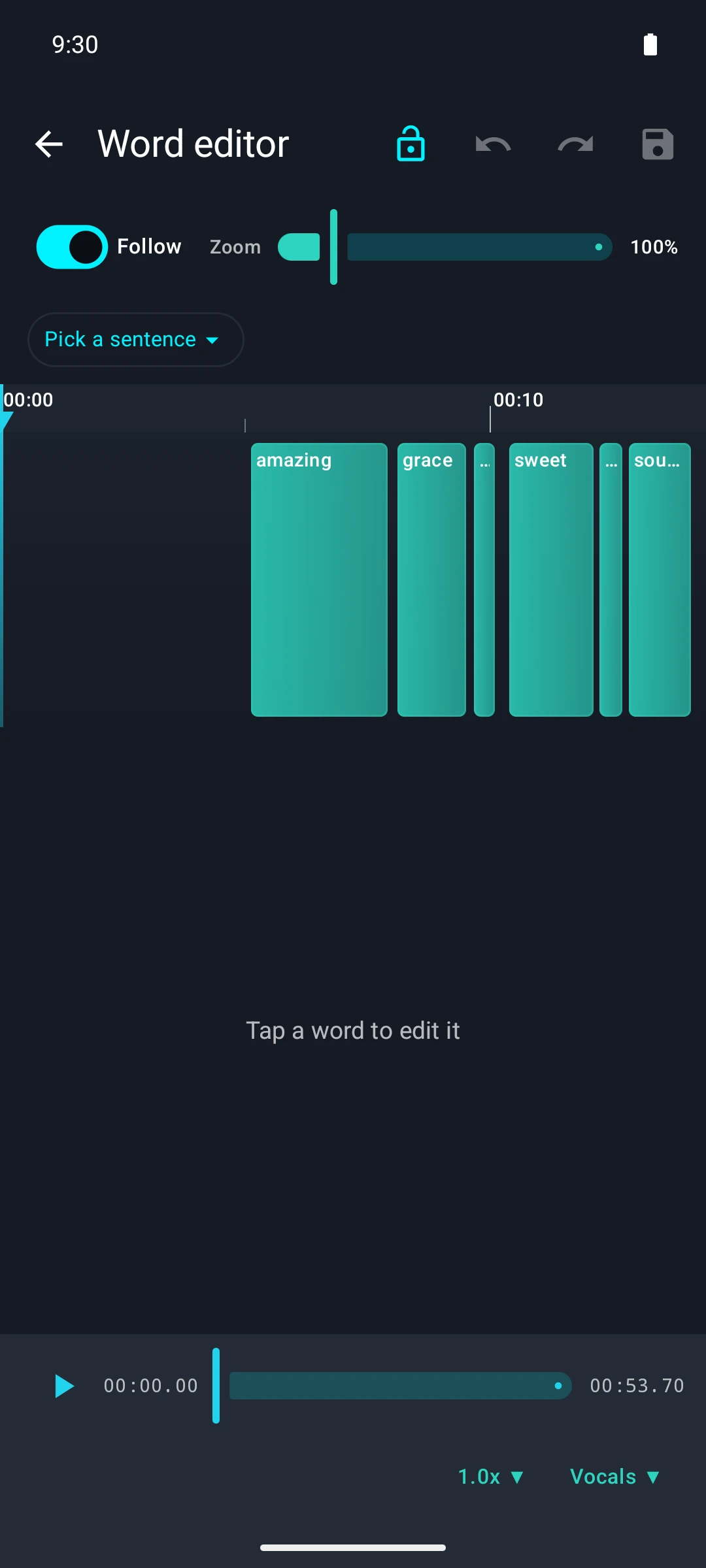
In the word editor, every single word sits as a block on a timeline and can be moved or lengthened by dragging. If you like, you can leave setting the timestamps to the AI analysis and only correct the spots that are off here. Zoom, "Follow" and an undo history make the detailed work manageable even on a phone.
Tap to enlarge
Separate vocals and instrumental
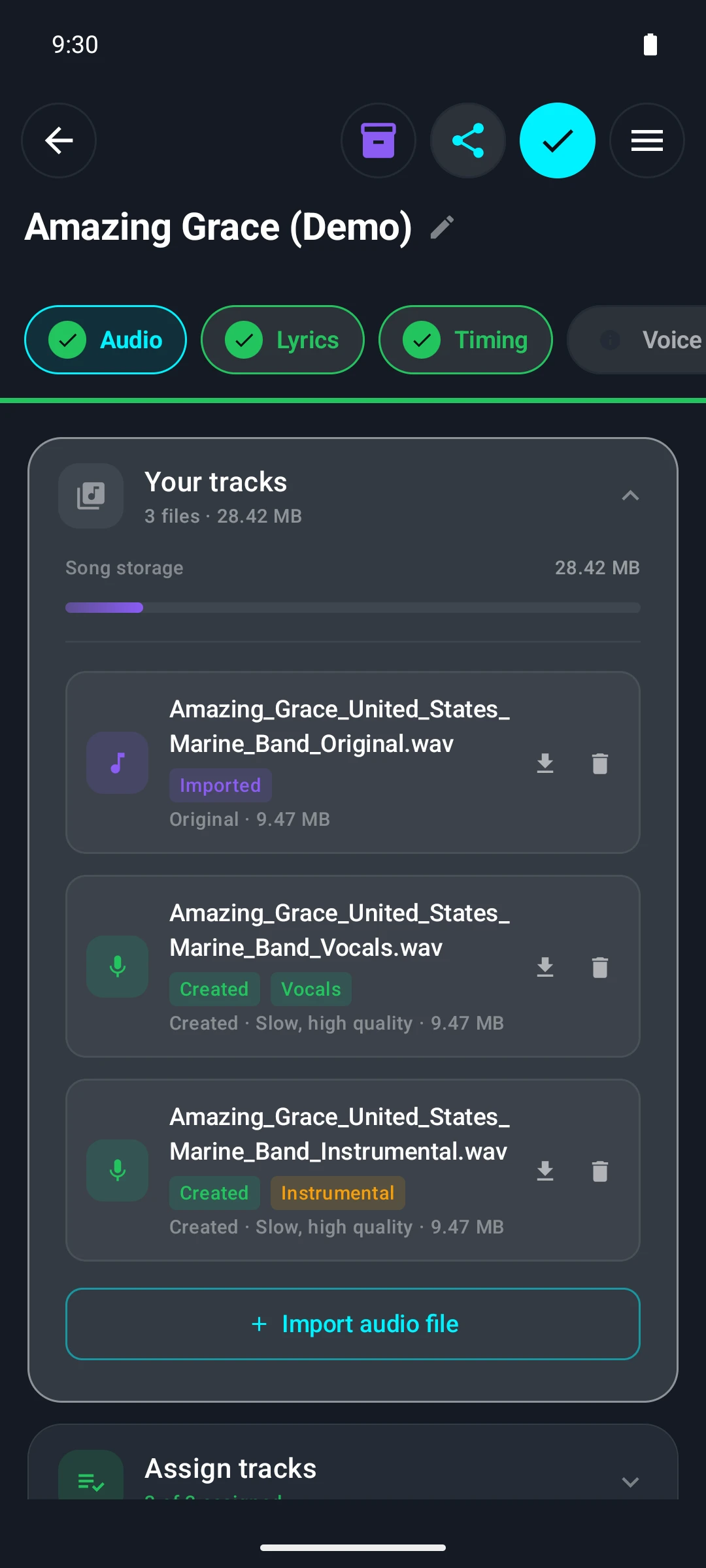
From an ordinary music file, the app creates two separate tracks: the pure vocals and the instrumental. The model runs directly on the phone — visible here in the generated tracks, which sit in the project as separate files next to the original. The instrumental becomes the karaoke track, the vocal track the basis for lyric alignment, pitch and style analysis.
Tap to enlarge
Everything is computed on the phone, without the cloud and without a mandatory subscription.
Chapter 2
Sing
Sing along with instant feedback
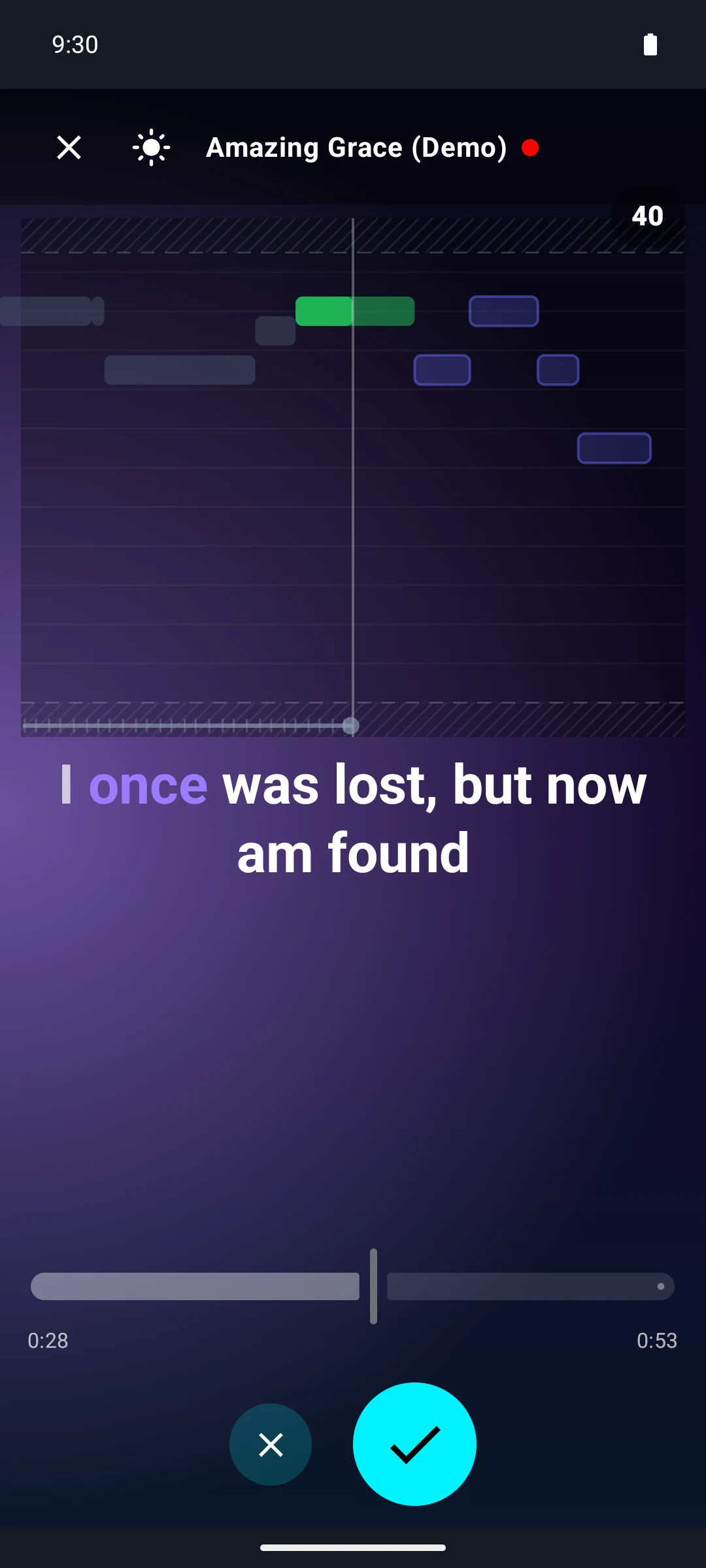
While you sing, the note roll runs along: the light bars show the target melody, the green bar the note you are actually hitting right now. Below it, the lyrics light up word by word, so it is always clear where you are in the song. The points come live from comparing the sung pitch with the expected pitch; at the end, the evaluation shows how many notes you hit.
Tap to enlarge
Karaoke mode
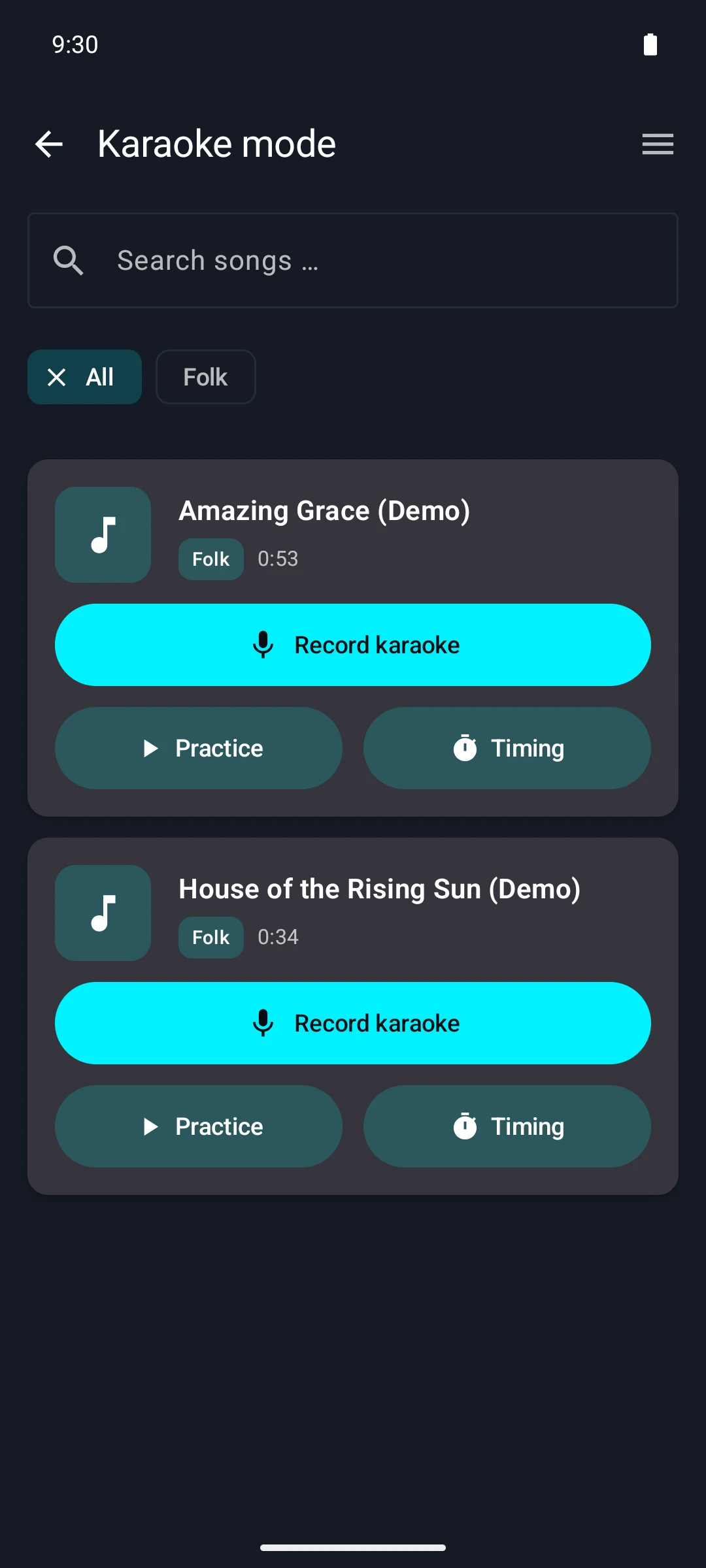
In karaoke mode, all prepared songs are ready to go — with genre, length and three ways in: record, practice or refine the timing. The song list is your own; Sonvel does not come with a catalog subscription but works with the music that is already on your device.
Tap to enlarge
Set the song to your own voice
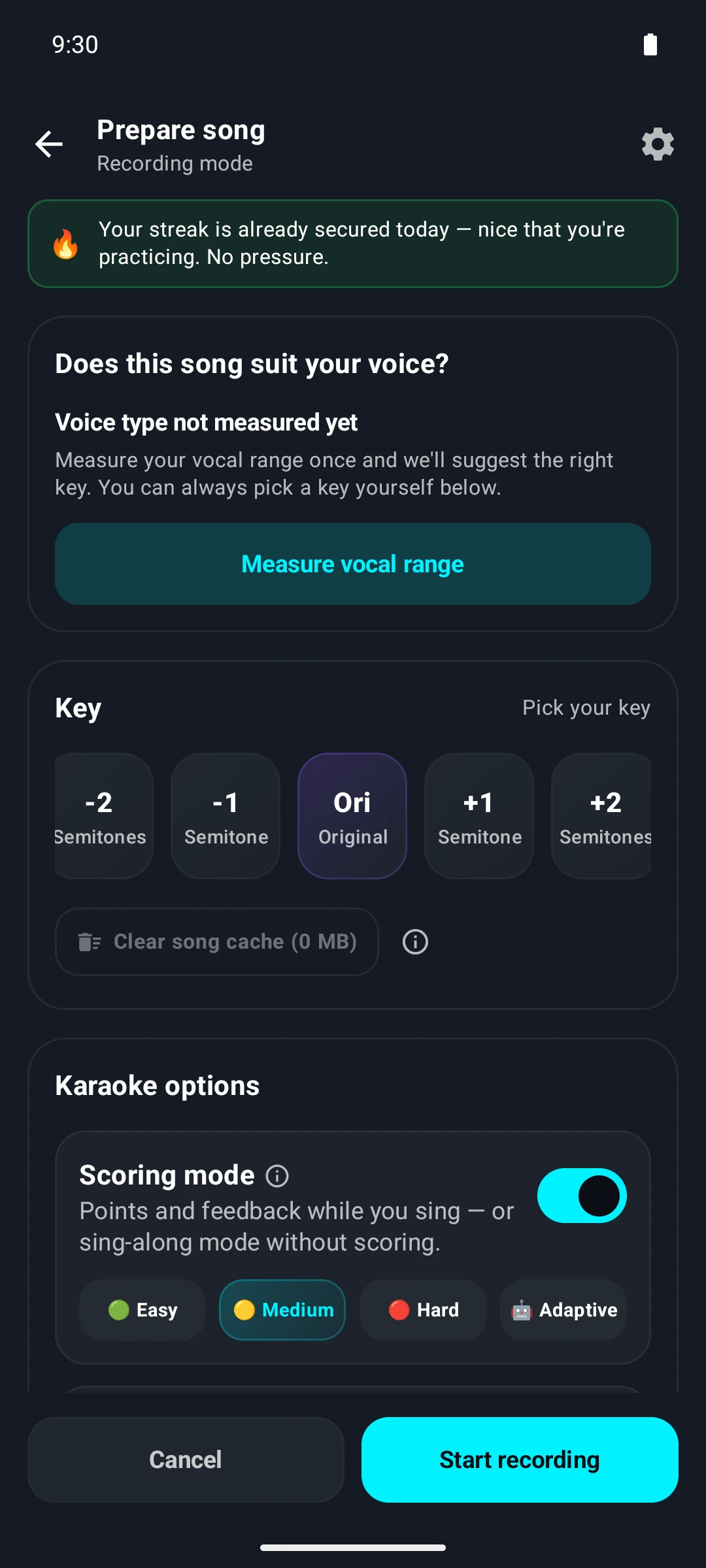
Before you start, the song can be shifted up or down by up to seven semitones — so that a song is singable even if the original is too high or too low. Once you have measured your vocal range, the matching key is suggested directly. In the same step you decide whether to sing with points and scoring or just for fun.
Tap to enlarge
Chapter 3
Practice and understand
"Sing it yourself" — the voice swap
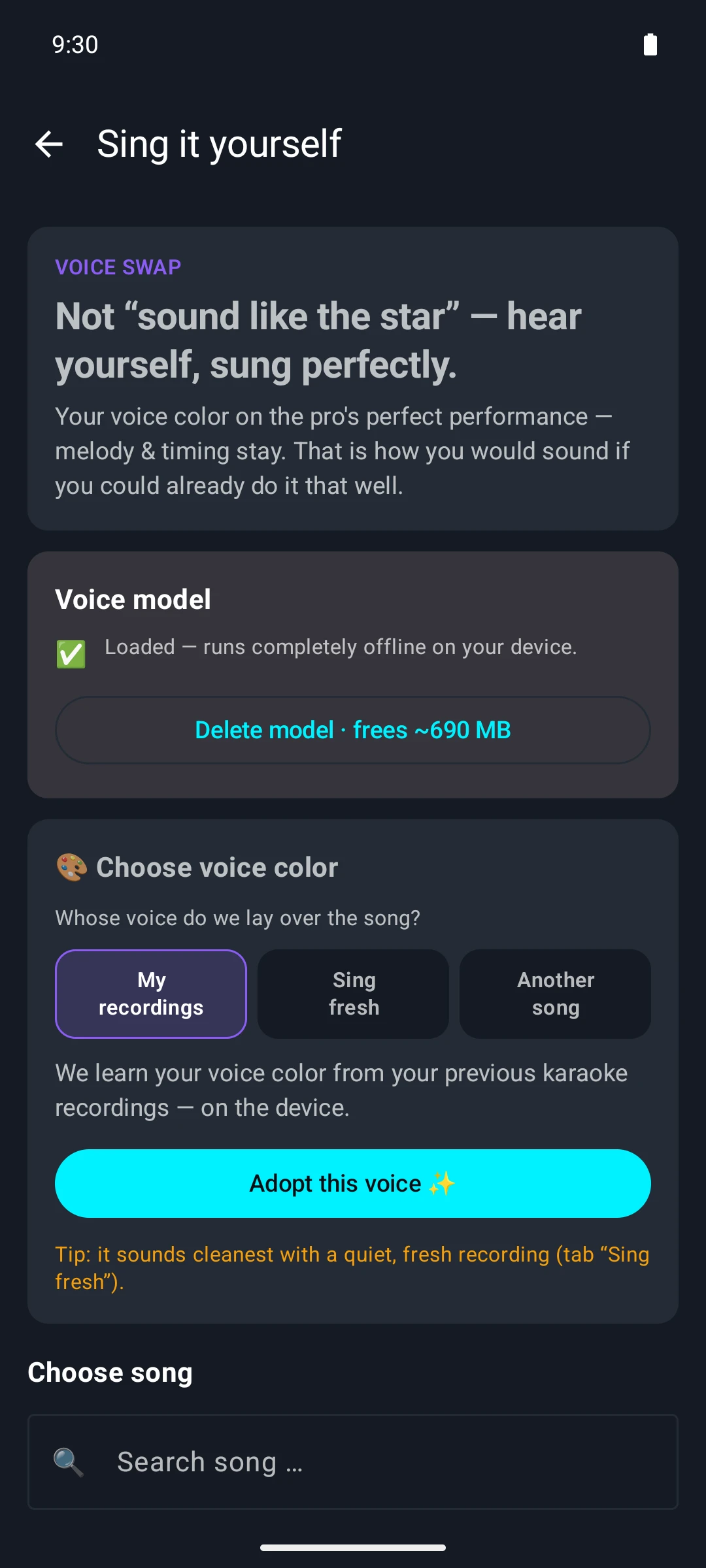
Sonvel's most striking feature puts your own voice color on a perfectly sung recording: the melody and timing remain the professional's, the sound becomes your own. The app learns your voice color from existing karaoke recordings, a freshly sung take or another song. The voice model is downloaded once and then runs entirely on the device — the note "runs completely offline" is meant literally.
Tap to enlarge
What the voice does in the original
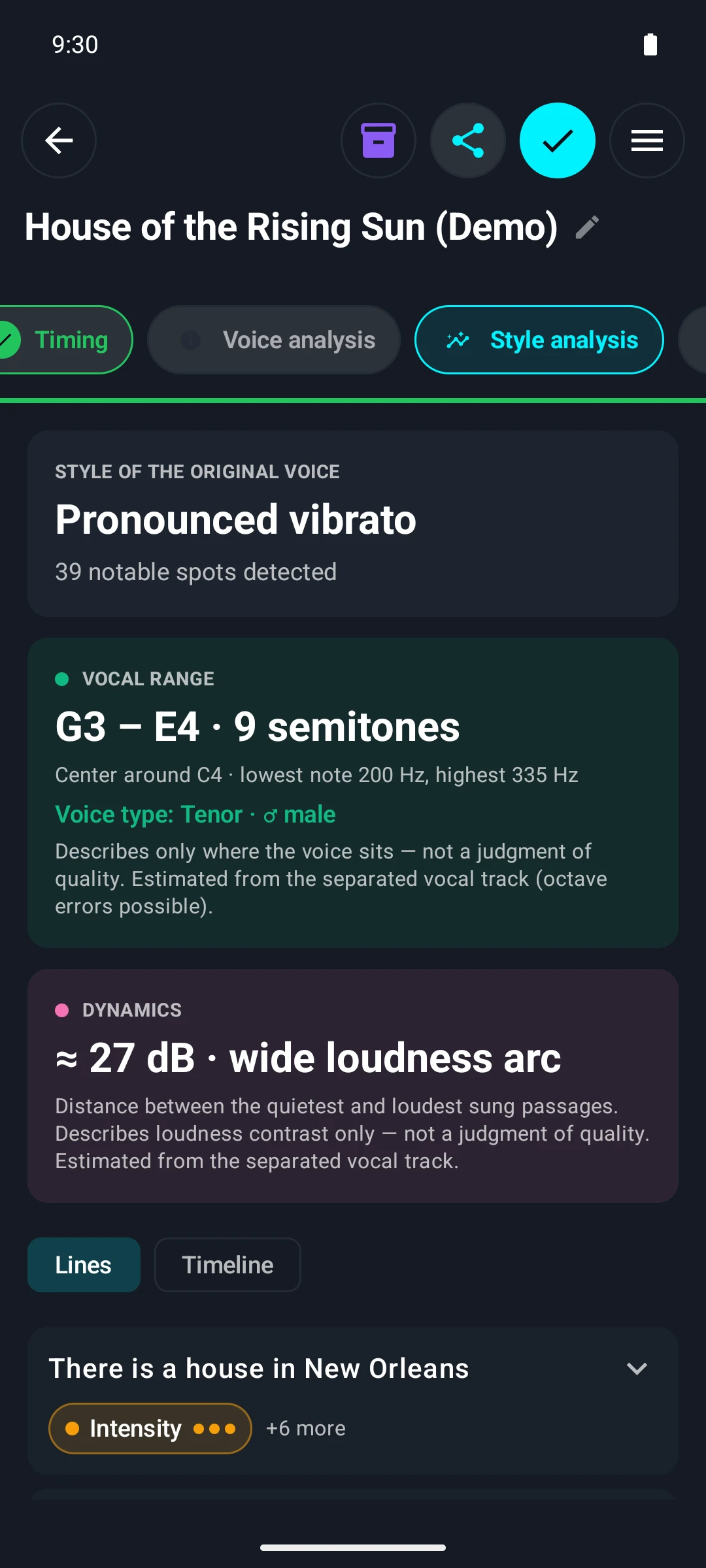
The style analysis describes the original voice in values you can work with: vocal range and voice type, dynamic range, vibrato and other characteristics — right down to individual lines of the lyrics. The statements are deliberately worded as a description, not a judgment: they say where a voice lies and what it does, not whether it is good. This evaluation is also created entirely on the device. The style analysis is part of Sonvel Premium.
Tap to enlarge
Guided vocal exercises
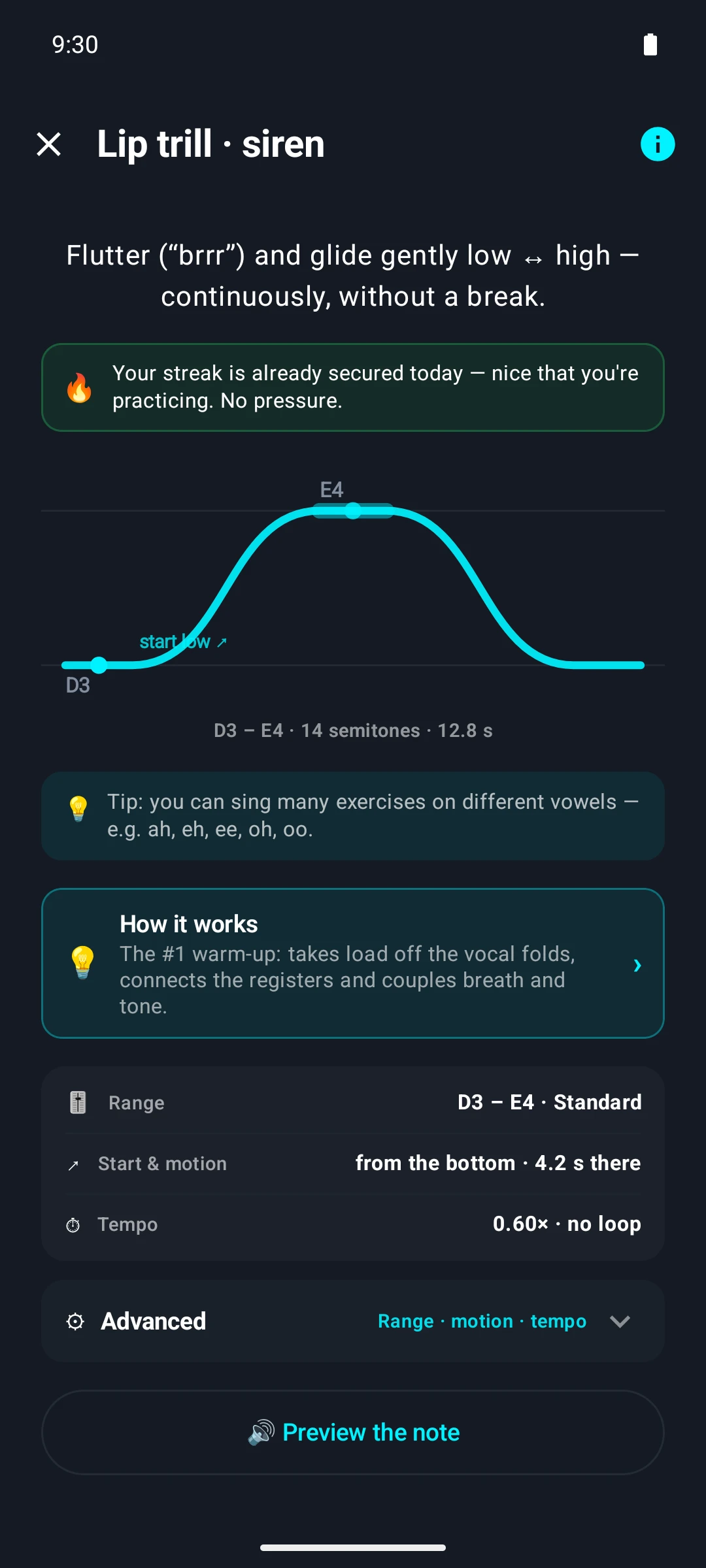
For training, there is a catalog of real vocal exercises — from lip trills and warm-ups to pitch, breath and tone. Each exercise shows its course as a curve beforehand, along with the pitch range, the tempo and what it is good for. A preview tone gives the starting note before you begin.
Tap to enlarge
See your own voice in real time
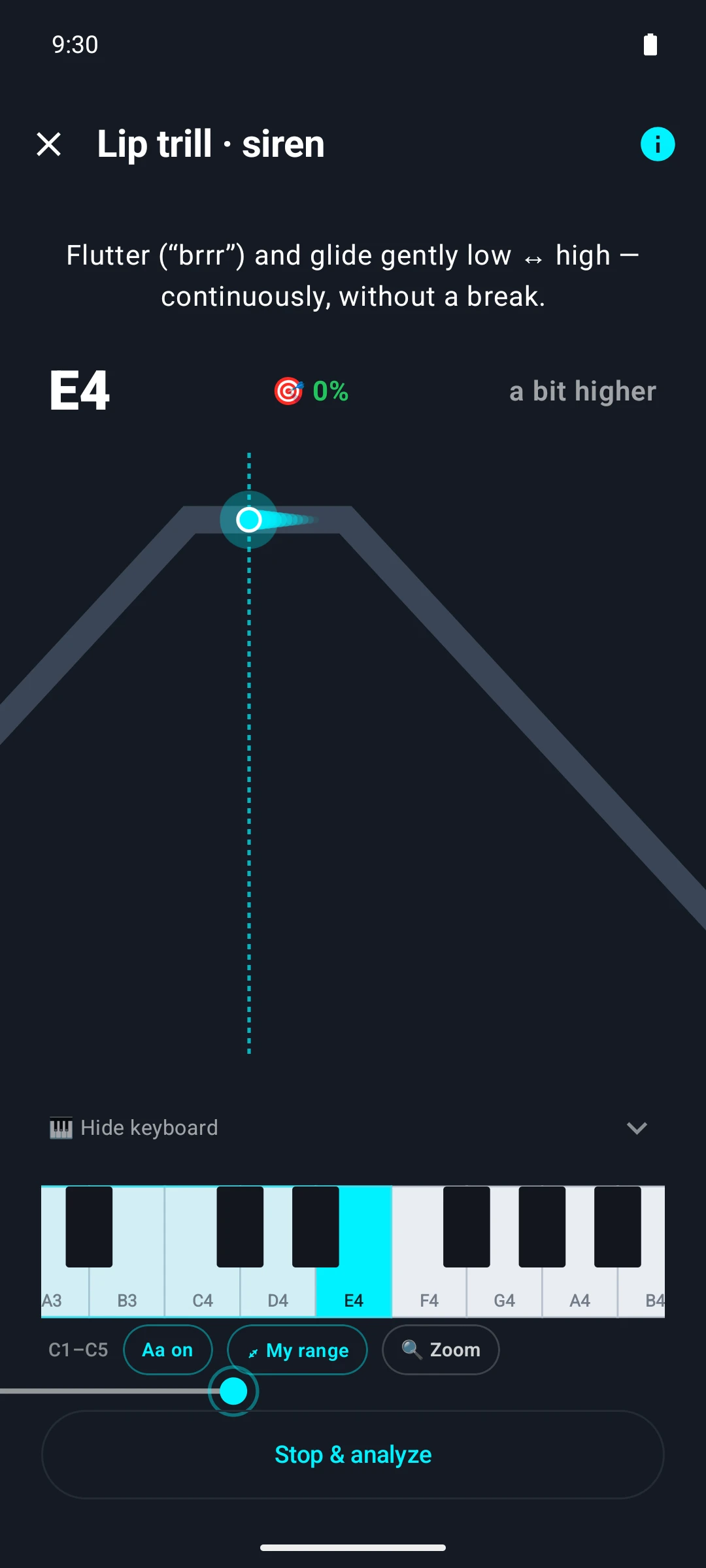
During the exercise, the target curve moves across the screen, and a glowing dot shows where your voice should be right now. Your own voice runs along as a trace, the keyboard below names the target note, and a hint tells you immediately whether you are a little too high or too low. Each exercise ends with an evaluation.
Tap to enlarge
Chapter 4
How Sonvel works
Everything stays on the device
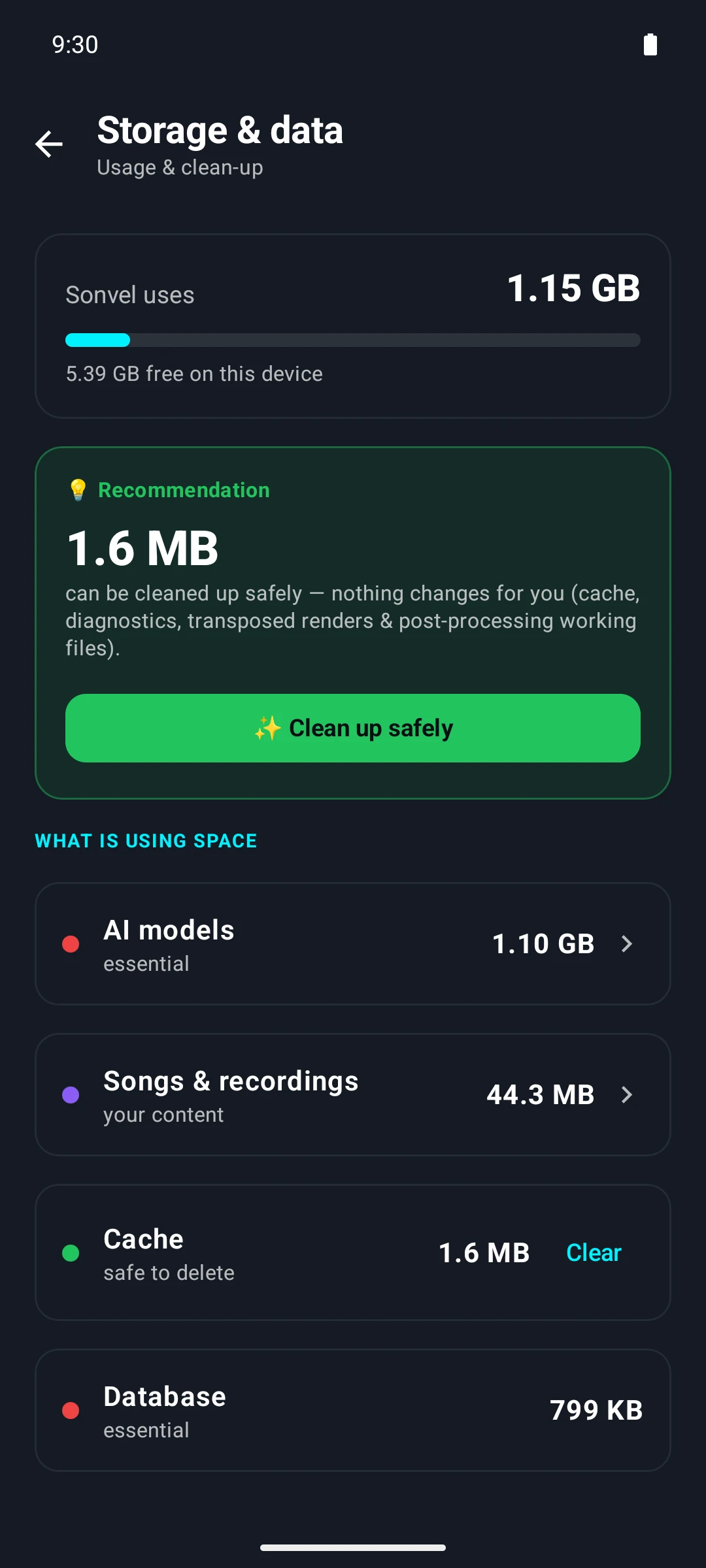
The storage overview shows what "offline" means in concrete terms: the AI models are stored on the phone, because that is where the computing happens, not on a server. Songs, recordings and evaluations are listed next to them as a category of their own — transparent, easy to clean up and deletable at any time. The app itself suggests what can safely be removed.
Tap to enlarge
The full range of features
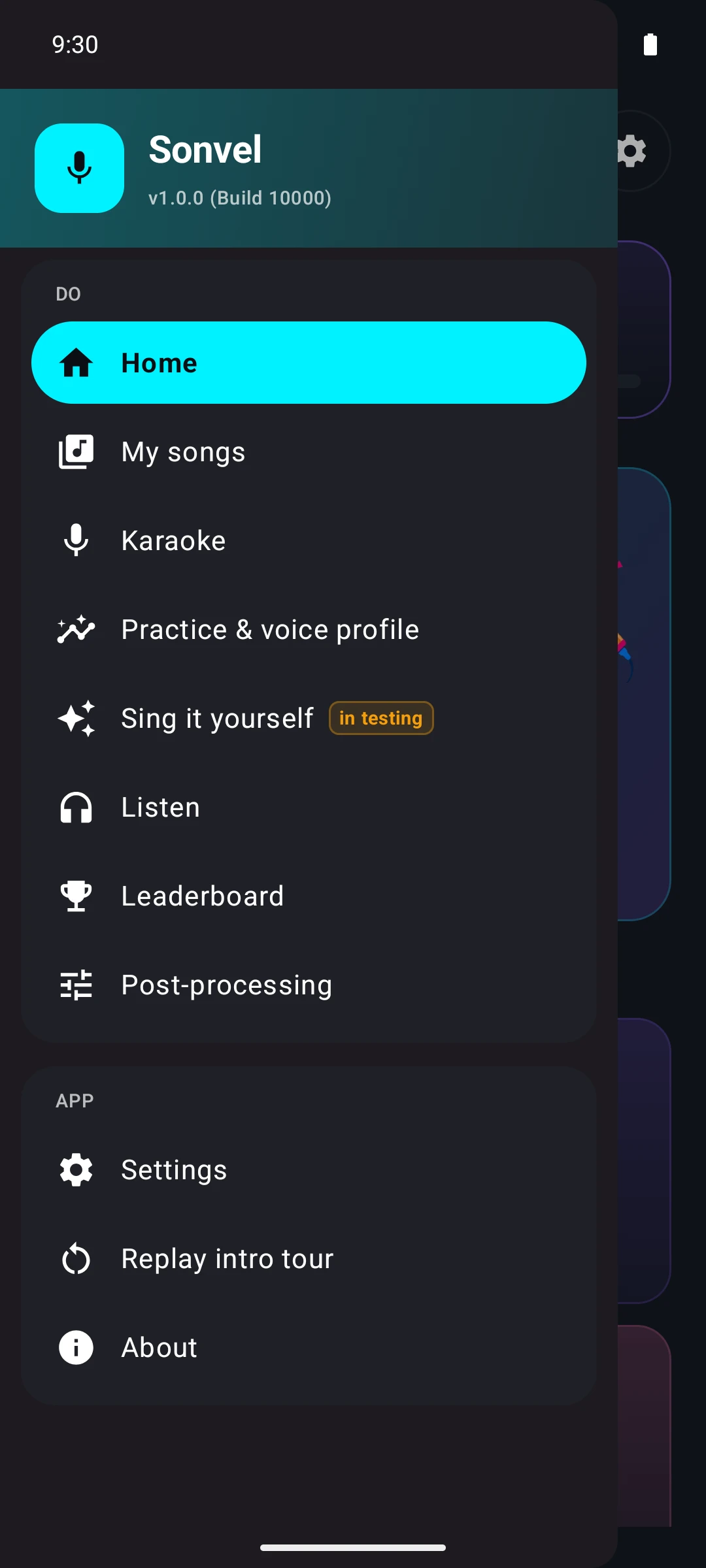
The navigation menu shows the breadth of the app on one screen: manage songs, sing karaoke, practice and build your own voice profile, use the voice swap, listen back to results, post-process them and compare them on the leaderboard. Despite this range, the entry point via the start screen is limited to a few large tiles.